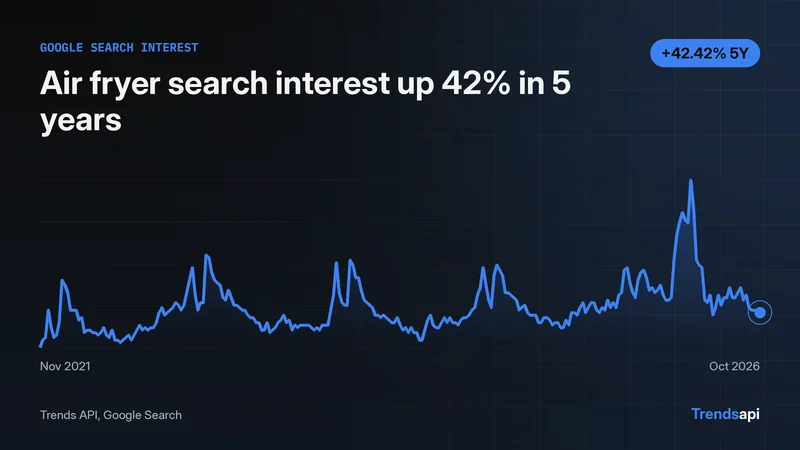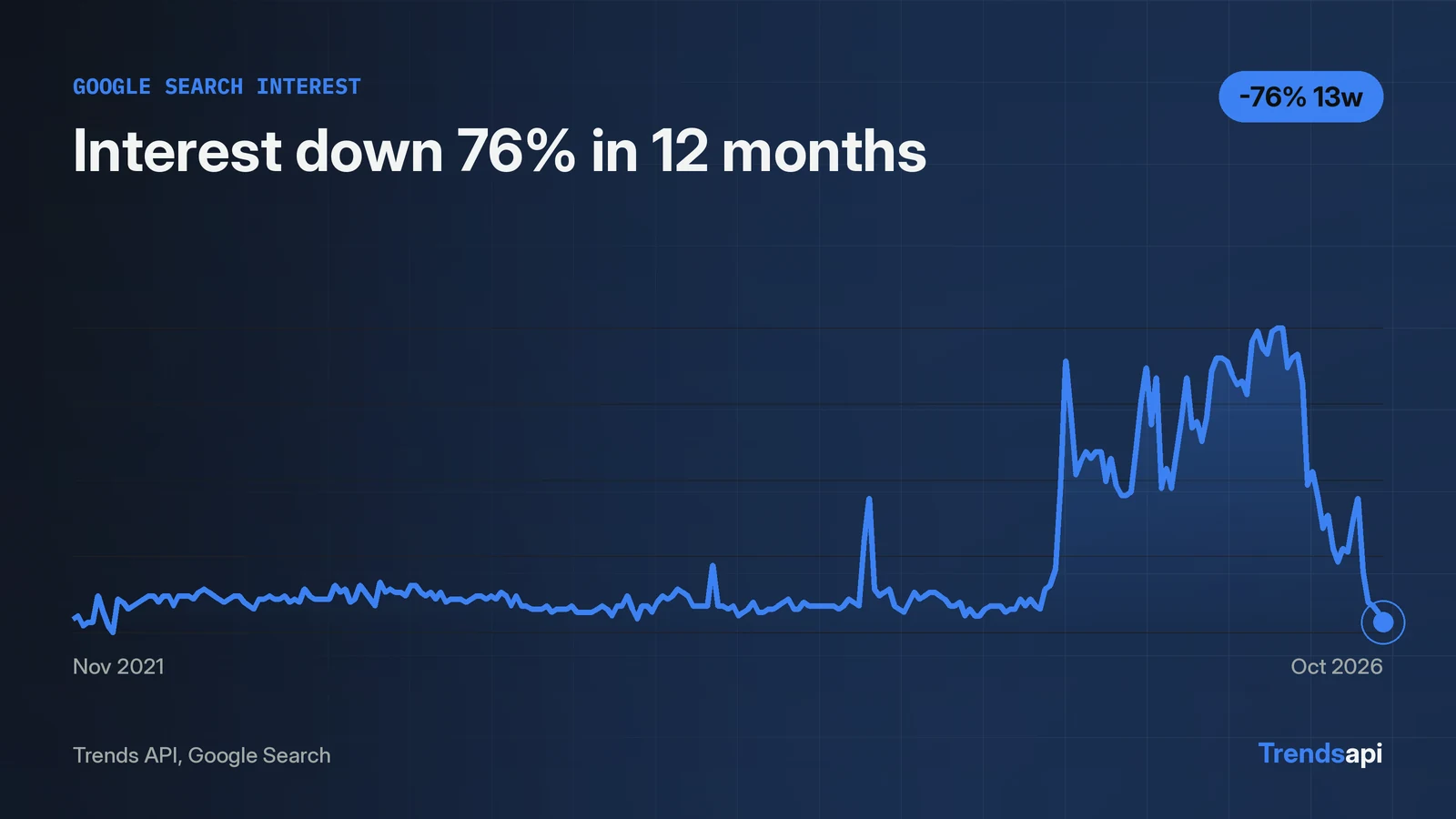
The Google Search Trends API answers with one POST to https://api.trendsmcp.ai/api. The request names mode get_time_series, keyword google search trends, and source Google Search. A live call on 2026-11-06 returned 261 weekly points from 2021-11-06 to 2026-10-31, each a 0 to 100 index. Interest peaked at 100 in the weeks of 2026-06-06 and 2026-06-13, then fell to 12 by 2026-10-31, down 76 percent from a year earlier. The response arrives as an envelope with statusCode 200 and a body that is a JSON string, so parsing happens twice. Each call costs 1 request.
The request that works
One POST to https://api.trendsmcp.ai/api runs the whole job. The same endpoint serves all 5 tools, and the mode field picks the tool. Auth is a Bearer token in the Authorization header. The bare key works in place of the Bearer prefix.
curl -X POST https://api.trendsmcp.ai/api \
  -H "Authorization: Bearer YOUR_API_KEY" \
  -H "Content-Type: application/json" \
  -d '{"mode": "get_time_series", "keyword": "google search trends", "source": "Google Search"}'
The same call in Python:
import json
import requests

response = requests.post(
    "https://api.trendsmcp.ai/api",
    headers={
        "Authorization": "Bearer YOUR_API_KEY",
        "Content-Type": "application/json",
    },
    json={
        "mode": "get_time_series",
        "keyword": "google search trends",
        "source": "Google Search",
    },
    timeout=60,
)
envelope = response.json()
if envelope["statusCode"] != 200:
    raise SystemExit(envelope["body"])
series = json.loads(envelope["body"])
The keyword is any name or phrase. The source must match one of the 14 keyword sources exactly, including the capital letters in Google Search. The docs cover key setup.
The body is a JSON string, so parse it twice
The response arrives as an envelope, and the body inside it is a JSON string. A direct check on 2026-11-06 returned HTTP 200 with two keys, statusCode and body, and statusCode 200. The body parsed as JSON gave the series. Code that reads envelope["body"] as a finished object gets a string, not a list.
{
  "statusCode": 200,
  "body": "[{\"date\": \"2026-10-31\", \"value\": 12, \"keyword\": \"google search trends\", \"source\": \"google search\"}]"
}
The parse page covers the envelope shape in full.
One call returns 261 weekly points
A single get_time_series call returned 261 weekly points for google search trends. The first point is 2021-11-06 at 13, and the last is 2026-10-31 at 12. The index runs 0 to 100, and 100 marks the peak week in the range returned.
| Week | Index |
|---|---|
| 2021-11-06 | 13 |
| 2026-06-06 | 100 |
| 2026-06-13 | 100 |
| 2026-08-01 | 49 |
| 2026-10-31 | 12 |
Each point carried date, value, keyword, and source. No volume field came back for this keyword, even though the field exists where the source reports it. The default resolution is weekly and covers about five years.
Growth: down 76 percent in 12 months
Interest in google search trends fell 76.0 percent over the 12 months to 2026-10-31. Each get_growth window compares a baseline point with a recent point, and one call can carry several windows at the same price.
| Window | Baseline | Recent | Change |
|---|---|---|---|
| 3M | 49.0 on 2026-08-01 | 12.0 on 2026-10-31 | -75.51% |
| 12M | 50.0 on 2025-11-01 | 12.0 on 2026-10-31 | -76.0% |
The drop follows a June peak: the index hit 100 in the weeks of 2026-06-06 and 2026-06-13. The numbers show what moved. They do not say why.
Four parameters change the answer
Keyword, source, country, and resolution decide what comes back.
| Parameter | Required | What it does |
|---|---|---|
| keyword | yes | Any name or phrase |
| source | yes | Exactly one keyword source, such as Google Search |
| country | no | Two-letter country code; Google series default to worldwide |
| resolution | no | weekly (about 5 years) or daily (last 90 days) |
The source must be exactly one of the 14 keyword sources. Google time series default to worldwide when no country is set. Daily resolution covers the last 90 days and is fetched live; weekly is the default and covers about five years. Growth windows are presets such as 3M and 12M, with 12M as the default, or a custom date range.
Each call costs 1 request
Every call on this page costs 1 request, and only successful calls count. Over REST, get_top_trends costs 1 request per call however many rows come back, and get_growth covers every window in the same call. Plans and quotas sit on the pricing page. A free key is enough to run the calls on this page.
Three things to build with it
The endpoint fits three builds: an alert, a dashboard feed, and a research pull. An alert calls get_growth on a schedule and flags a keyword when a window crosses a threshold, for example when the 12M window falls below -50 percent. A dashboard stores get_time_series points and charts the 0 to 100 index over five years. A research pull pairs get_context with the keyword's top-trends board to find the posts behind a move. The Python guide shows the same calls in a script.
Errors arrive in the envelope, not the HTTP status
A failed call still returns HTTP 200, with statusCode 400 inside the envelope. The body then holds an error code and a message instead of data.
| Code | Meaning |
|---|---|
| missing_parameter | A required field is missing |
| invalid_source | The source or type is not one the API serves |
| no_data | Nothing matched the keyword on that source |
| invalid_api_key | The key is missing, mistyped, or was regenerated |
| monthly_limit_reached | The plan's monthly requests are used up |
Failed calls are free. The errors page lists every code.