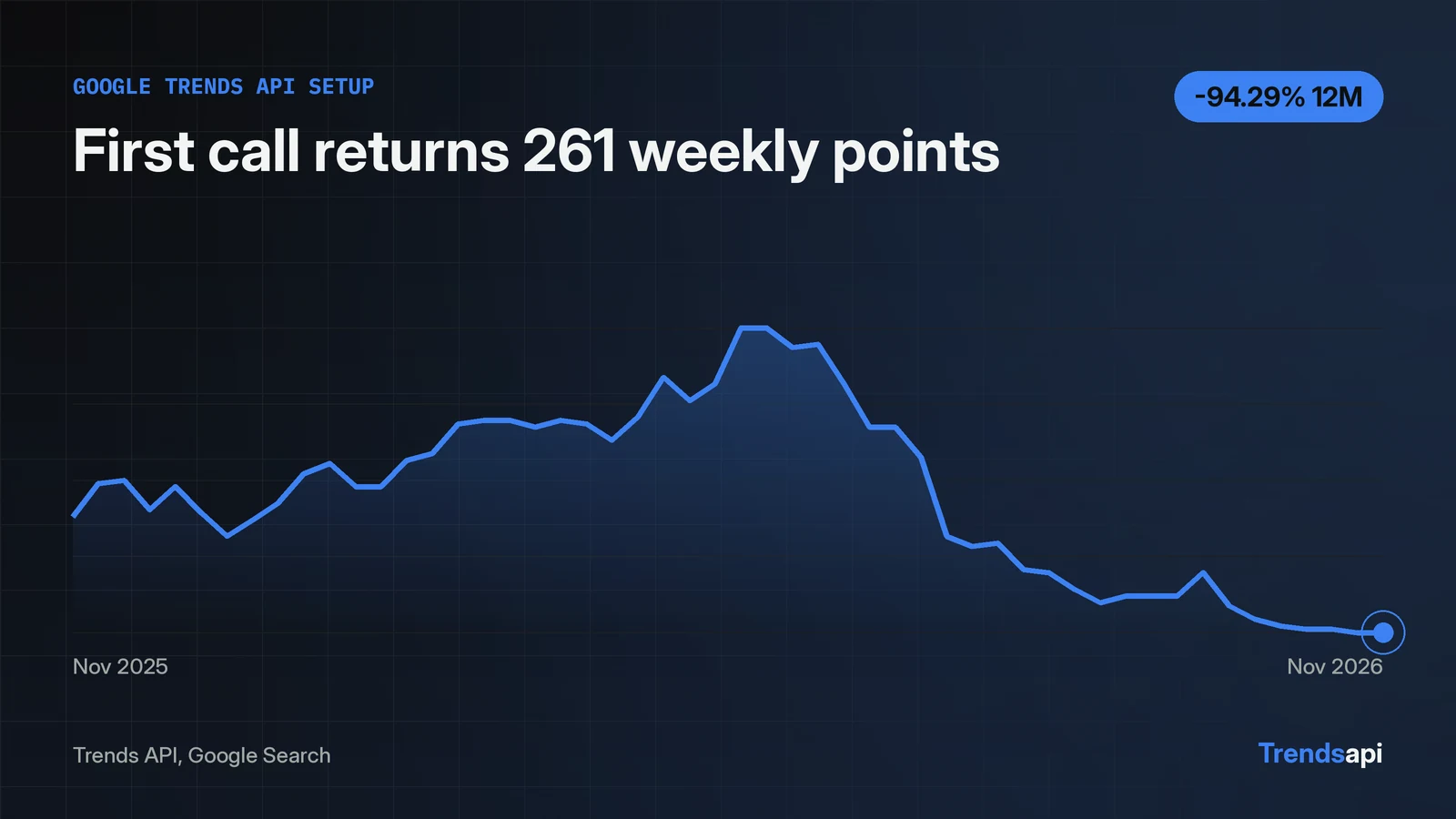
Setup takes three moves. Get a free key from the account page with a work email and an emailed sign-in code; no card is asked. Send a POST to the API endpoint with the key in an Authorization: Bearer header and a JSON body naming the mode, keyword and source. The calls in this run prove each step. A first call for "google trends api" on Google Search returned 261 weekly points, from 2021-11-20 to 2026-11-14. A missing key returns 401, a wrong key returns 403.
Get the key from the account page
The key costs nothing and asks for no card. The account page takes a work email, sends a sign-in code, and hands back a free key. The page was checked on 2026-11-19 and reads "Sign in or get your free API key. No password." One key serves both the REST API and MCP clients, per the API reference. Request limits live on the pricing page.
One endpoint carries every call
Every mode runs through one POST to https://api.trendsmcp.ai/api. The JSON body picks the tool with mode: get_time_series for history, get_growth for change over a window, get_top_trends for live boards, get_context for what people post. Each mode returns a different shape. History arrives as a list of dated points. Growth arrives as one result row per window, each with a recent value, a baseline value and a percent change. Boards arrive as ranked rows, and context arrives as a list of items with engagement attached. The endpoint, the headers and the auth stay the same between these calls; the mode name and the body fields each mode needs change. Two headers travel with every call:
Authorization: Bearer <key>
Content-Type: application/json
A get_time_series call costs 1 request, per the API reference. The full mode list and the options each mode takes sit in the docs.
First call from curl
The curl call below ran in this run and returned 261 points. It asks for the full history of "google trends api" on Google Search:
curl -s -X POST https://api.trendsmcp.ai/api \
  -H "Authorization: Bearer $TMCP_API_KEY" \
  -H "Content-Type: application/json" \
  -d '{"mode": "get_time_series", "keyword": "google trends api", "source": "Google Search"}'
The key rides in the $TMCP_API_KEY environment variable, so the secret never lands in the command itself. The response starts like this, cut short here because the full body holds 261 points:
{"statusCode": 200, "body": "[{\"date\": \"2021-11-20 00:00:00+00:00\", \"value\": 0.0, \"keyword\": \"google trends api\", \"source\": \"google search\"}, ..."}
First call from Python
Ten lines of Python repeat the same call and print the proof. This exact script ran in this run:
import json, os, requests
key = os.environ["TMCP_API_KEY"]
resp = requests.post("https://api.trendsmcp.ai/api",
    headers={"Authorization": f"Bearer {key}", "Content-Type": "application/json"},
    json={"mode": "get_time_series", "keyword": "google trends api", "source": "Google Search"}, timeout=30)
print(resp.status_code)
data = json.loads(resp.json()["body"])
print(len(data))
print(data[0])
print(data[-1])
The output:
200
261
{'date': '2021-11-20 00:00:00+00:00', 'value': 0.0, 'keyword': 'google trends api', 'source': 'google search'}
{'date': '2026-11-14 00:00:00+00:00', 'value': 2.0, 'keyword': 'google trends api', 'source': 'google search'}
HTTP 200 plus 261 points means the key, the endpoint and the request body are all right. A 401 or 403 points at the key; a 400 inside the envelope points at the request.
The response body is a string, parse it again
The HTTP response decodes to a dict with two fields. statusCode reads 200. body holds a string, so one more json.loads turns it into the list of points. Without that second parse, the variable holds text where the code expects a list of points. The fallback costs one line: data = json.loads(resp.json()["body"]) if isinstance(resp.json()["body"], str) else resp.json()["body"]. The JSON parsing guide covers the same shape in full.
Four responses prove the setup works
Four probes ran in this run, and each one answers a different setup question:
| Check | What was sent | What came back | What it means |
|---|---|---|---|
| Valid key | The script above | HTTP 200, envelope statusCode 200, 261 points |
Setup works |
| No key | Same request, no Authorization header |
HTTP 401, {"error": "missing_api_key"} |
The key never reached the server |
| Wrong key | Same request, a made-up key | HTTP 403, {"error": "invalid_api_key"} |
The key is wrong, not the request |
| Bad query | get_top_trends with no type |
HTTP 200, envelope statusCode 400, {"error": "invalid_request"} |
The request is wrong, not the key |
A 401 means the key never reached the server, so check the header is sent and the variable is set. A 403 means the key itself is wrong, so copy it fresh from the account page. A bad query behaves differently again: the probe in this run still returned HTTP 200, with the reason inside the envelope as statusCode 400.
Keep the key out of the code
The key belongs in an environment variable, never in the script. Put it in a .env file or export it in the shell, then read it with os.environ. A key pasted into code ends up in version control, in shared files, and in chat logs. The same rule covers the curl call: the shell variable in the example above keeps the key out of the command line and out of shell history files that get shared or pasted into tickets.
What the first call returns for this keyword
The series for "google trends api" holds 261 weekly points from 2021-11-20 to 2026-11-14, and the shape is the proof the call worked. The peak sits at 100 on 2025-08-16, reached fast from 15 on August 2 and 36 on August 9. After the peak it fell to 65 on August 23, 51 on August 30 and 47 on September 6. The data shows the spike, not what caused it.
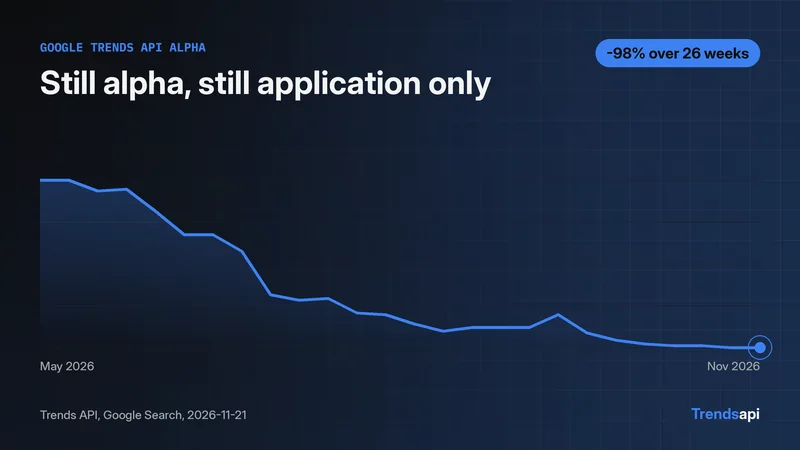
The recent points tell the other half. The last five weeks read 4, 3, 3, 2, 2, from October 17 to November 14. Growth over 3 months is down 90 percent, from 20.0 on 2026-08-15 to 2.0. Growth over 12 months is down 94.29 percent, from 35.0 on 2025-11-15 to 2.0. Per the API reference, values are interest on a 0 to 100 index, not absolute counts, and no volume figure came back for this keyword. A value of 100 marks the highest week in the returned window; every other week is measured against it. Two points from the same series can be compared directly. Across keywords, the comparison is inference, not a documented rule: the 100 here marks this series' own highest week, which suggests each keyword is indexed against its own peak, so values from two keywords do not sit on the same scale. The series answers one question well: when interest in this exact phrase rose and fell. It does not answer how many searches happened, and the response carries no volume field to fill that gap for this keyword.
Setup ends here. The Python tutorial picks up from the same first call and adds growth windows, two-keyword comparisons, live boards and daily resolution.